Marketplace
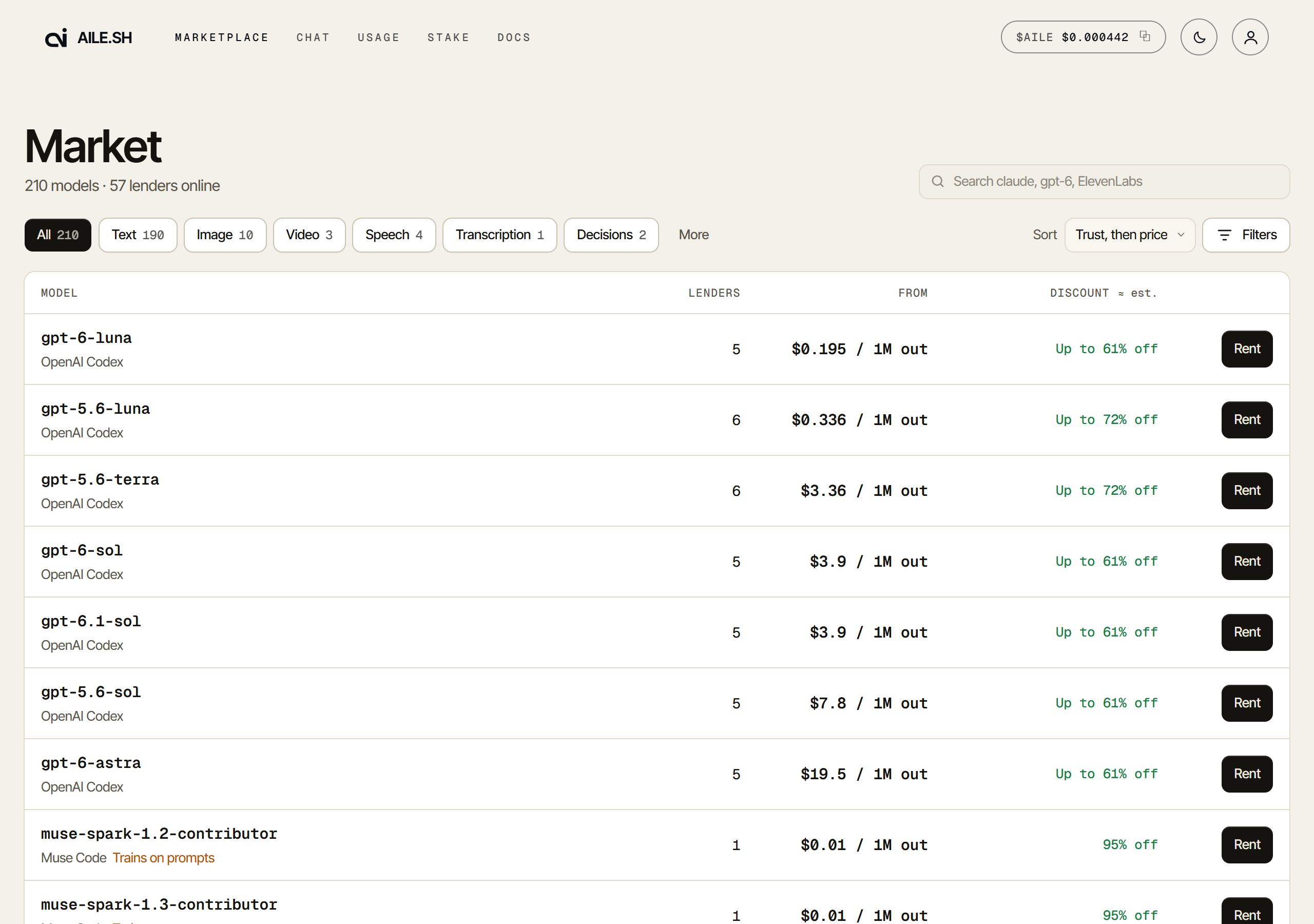
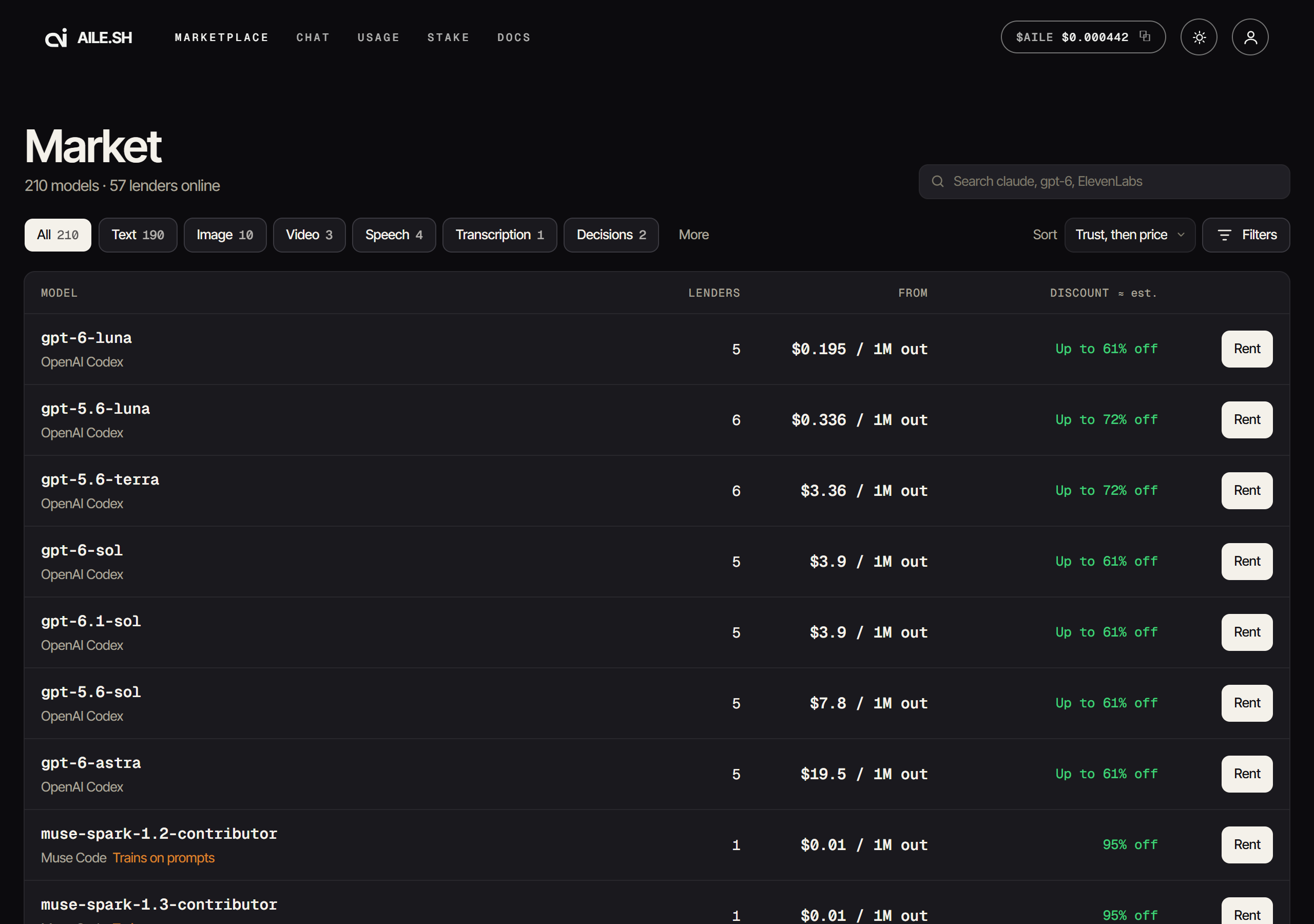
aile.sh/market is every model on sale. It opens as one full-width list: sharers, the discount off list, the list price, the cheapest price, and a Call button. Pick a model and the list moves left, with every sharer serving it, cheapest first, in a Sharers table on the right. It is public: no sign-in, and no key.
Simple and Advanced
The Simple | Advanced switch beside the sort picks how the list is laid out.
The address bar keeps it (?view=advanced; no parameter is Simple), and the page
remembers your last choice in this browser for a visit that names none.
- Simple, the default, shows one card per model, whichever providers sell it.
claude-opus-5-5through Claude Code, through Anthropic and through OpenRouter (asanthropic/claude-opus-5.5) is one card. Two listings are the same model when their names match once a host's namespace is dropped and a version dot is read as a dash, the same rulex-aile-provider: anyuses; nothing else is folded, soclaude-opus-5-5-thinkingkeeps its own card. The discount is the headline ("Up to 95% off", or "List price"), the list price is the reference ("List $5.00 / $25.00 per 1M") and the cheapest price is the small print ("from $0.20 / $1.00"). - Advanced shows one card per provider and model,
claude/claude-opus-5-5apart fromanthropic/claude-opus-5-5, with the price as the headline and the list price struck through beside it.
Switching keeps the model you have open: from Simple to Advanced it opens the provider of the sharer you picked (else the cheapest one's), and from Advanced to Simple the card that holds it. A link to one provider's model opens in either view; in Simple it opens the merged card with that provider's cheapest sharer picked.
Whose list a discount is off. When the model's publisher sells it on the card (Anthropic for a Claude model, OpenAI for GPT and the o-series, Google's Gemini API for Gemini and Gemma, xAI for Grok, DeepSeek, Mistral, Moonshot for Kimi, Alibaba for Qwen), every sharer's discount is measured against the publisher's own list, so a bigger discount is always a cheaper sharer, and a provider whose own list differs says so on its rows ("lists at $5.50 / $27.50"). A provider that resells the publisher's list, such as Claude Code or Codex, is not the publisher. With no publisher on the card, each sharer's discount is off its own provider's list: the card reads "List from $0.60 / $2.50" (the lowest of the providers' lists), each row's % is off its own provider's list, and the chart draws no list line. So no sharer shows a discount it does not give. A sharer priced over its list says "20% above list"; it is never counted as a discount.
Server-side tools, provider by provider. A card says a model can search while it answers (Live X search, say) when any of its providers runs that tool. When not all of them do, it names which ("Live X search · OpenRouter only"), since only their answers can cost more than quoted. The model's page has the full note, with the price per X post, and those providers' sharers carry it in the book.
The safe reading of the providers' facts. A merged card shows a capability only when every provider has it, the smallest context window any of them states, and the training notice if any of them carries one. A row whose provider states a bigger window, or carries the notice when the others do not, says so.
A headline from real capacity. "Up to N% off" counts only sharers that have served at least one request. When none has yet, it shows the best sharer's figure with "≈" and a tooltip saying so; the list's "≈ est." legend says the same.
What a picked model shows
- The model and provider, its context window and what it can do (vision, reasoning, PDF input, tool calls).
- The depth chart: price along the bottom, sharers up the side. The dashed line is the model's list price.
- One row per sharer, cheapest first, the order Aile tries them in. Each chat
row names its source, the
<provider>/<model>that sharer sells (claude/claude-opus-5-5,openrouter/anthropic/claude-opus-5.5). In Advanced a chat row shows output and input price per million tokens, with the cache read and write rates in a column of their own. In Simple a Discount column shows the row's % off its list (the publisher's, else its own provider's; "above list" when it costs more) by itself, and a Price column beside it shows the input and output price per million tokens with the cache read and write rates small under them, where the model publishes them. Both show long-context bands. Other models show their price per unit, one column per size or resolution where it varies. - A discount reads as a colour that fades, never as a warning. It is green at 100% off and shades to teal by 50% off, and stays teal below that; "List price" and "above list" are plain ink. Nothing on the page turns yellow or red for a small discount. The colour is the same on the list, the cards, the table, the Call button and the order book, in the light and the dark theme.
- Copy buttons beside each row's source and its sharer: a small clipboard icon
copies the whole
<provider>/<model>id to paste intomodel, or the sharer's full handle (the table shows it shortened) to paste intox-aile-sharer. The icons show when you point at or tab into a row, on the picked row, and always on a touch screen. Pressing one copies and does not pick the row. - A training notice on a model whose publisher trains on what is sent to it ("The publisher trains on prompts sent to this model."), such as Meta's contributor models.
- Live X search on a Grok model whose provider can search X while it answers, with the line to send and a note that it is billed on the tokens the provider reports plus up to $0.005 for each X post fetched.
- Speed and uptime for the sharer you pick (the cheapest until you do), over the last 24 hours: first-token time (median and p90), tokens per second, uptime (also the last 30 minutes), how often streams were cut off, and the share of prompt tokens served from the provider's cache. A figure needs five to ten requests to show. It is measured from real traffic, for you to read; it does not change who is tried first.
- A self-hosted node's claims: runtime, quantization and context, which are the sharer's claims and Aile has not checked; and, if the sharer opted in, the country its machine connected from.
- A price chart for the last 30 days: the cheapest sharer's price and the list price. Days Aile recorded no prices are left off. Prices are kept per provider, so a merged card charts the picked sharer's provider (the cheapest one until you pick).
- Speed, the node's claims and the price chart sit under Stats and price history, below the sharers. It is folded until you open it.
- A trust dot on each sharer: see below. Its tooltip also carries the evidence: a self-hosted sharer's known-answer probe record, or a note if a model downgrade was recorded.
- How much the sharer has served.
- The list price, so you can check the saving: a struck-through row under the sharers in Advanced; in Simple, once, beside the sharer count in the header ("List $5.00 / $25.00", or "List from …" where no publisher's list is the reference). "N% off" is never rounded up, and shows only where the list price is known.
- Agents show a capacity label, a price per call and their tools instead.
Hover or click a row to see it on the chart. Call opens the model id and endpoint to call it with your key, and a Provider choice for how to address the model:
- Any provider sends
auto/<model>(auto/claude-opus-5-5): the cheapest provider that lists the model serves it, and the next one if it is busy or fails (see Any provider). It needs a key that is not pinned to one provider and has no unnamed combo route. - One provider sends that provider's own id (
claude/claude-opus-5-5), and only its sharers serve it, cheapest first.
Neither needs a header. The choice lists every provider that sells the model on the card, whatever the filters leave, the one with the cheapest sharer first. A Simple card sold by more than one provider opens on Any provider; a card with one provider (and every Advanced card) opens on that provider and still offers Any provider. Self-hosted models, per-unit models and agents have no choice: they keep their one id.
Pick a sharer to open Call on that sharer's provider instead: the saving in the button, the price and the failover note then describe that provider's sharers only. Click the row (or its dot) again, or Any provider in the call box, to go back. Use only that sharer pins one sharer to a request. Block on a key and Allow on a key put the picked sharer on one of your keys' sharer lists, for every model that key calls: a blocked sharer is skipped and the next one serves. A sharer whose uptime over the last 30 minutes is under 90%, or that cut off a tenth of today's streams, says so beside them. All models returns to the full list.
Searching
The search box matches model ids and provider names as you type. Words must all
match (claude sonnet), OR or | separates alternatives, -word or NOT word
excludes, and "quotes" keep a phrase together. On a Simple card a provider's name works
like the provider list: openrouter keeps only OpenRouter's sharers on the card, and
-openrouter drops only them. A word in the model's name (opus, claude-opus-5.5)
matches the whole card.
A sentence of three or more words with none of those operators, such as "cheap claude model that reads screenshots except openrouter", is read as filters and applied as you type. The parts show as small pills under the box (“claude”, Reads images, Cheapest first, Not OpenRouter); tap one to drop it. A filter you set yourself always wins over the sentence. Prices, capabilities and names are read in your browser at once; the rest is a question to a decisions model (Jev, through OpenRouter), which Aile pays for, so the sentence is sent to that provider. Aile does not store it.
Model types
The chips above the list group models by what they put out: Text, Image,
Video, Speech, Transcription, Embeddings, Rerank,
Decisions and Audio (music included; an old ?type=music link lands on
Audio), then Agents. More adds web search, scrape, moderation and OCR,
which also sit under Text. A chip with nothing on sale is hidden.
Models served on the non-chat endpoints (images, speech, transcription, video,
music, embeddings, rerank, moderation, OCR, web search, scrape) show in the same
list, priced per unit (per image, per 1,000 characters, per minute, per second,
per track, per million input tokens, per search, per input, per page, per query,
per webpage) with the endpoint to POST to. Search and the provider list include
them, so a provider that serves no chat (ElevenLabs, Fish Audio, Brave, Firecrawl,
ScrapingDog, Serper, SearchApi, ScrapingBee, Cloudflare) is still findable.
The three trust tiers
| Tier | What it means |
|---|---|
| Provider-attested | A provider signed a nonce during the link. The sharer holds the account. |
| Provider account | A working credential that cannot be attested: an API key, where nothing signs a key exchange. That is a property of the kind. |
| Self-hosted | A model on the sharer's own hardware. Nothing external to attest against. |
These tiers describe accounts only
A tier describes the account. It says nothing about what is served. Aile cannot prove which model answered a request. See Verification.
Filters map to headers
The page filters in your browser over the live lists, and the address bar holds the filters, so a link reopens exactly what you were looking at. On a Simple card, Provider, Except and the capability filters keep only the sharers of the providers that pass, and a card with none left drops out; counts count the cards the view shows. Filters opens the controls: provider, providers to leave out (Except), what the model can do (vision, reasoning, PDF, tools), free or paid, how far below list it is (25%, 50%, 75% or more), the account link, a free slot now, and whether to show Agents in the All view. Where a filter has a request-side twin, this is how it maps.
| On this page | In a request | In the CLI |
|---|---|---|
| Provider | x-aile-provider | --provider |
| Account link → attested | x-aile-verified | --verified |
| A specific sharer | x-aile-sharer | --seller |
| Block on a key | x-aile-exclude-sharer | |
| Except a provider | x-aile-exclude-provider | |
| A specific machine | x-aile-node | --node |
The price ceiling, x-aile-max-price (--max-price), has no control here:
sort by price and read the Sharers table instead.
A choice you make browsing is one you can act on. Pin it per request with a header, or attach it to a key for clients that cannot set headers. See API keys.
Sorting
The default order is Most served: the models with the most requests first. It is not the routing order. Routing is price-first, and so is the Sharers table: its rows run cheapest first, with ties settled by input price and then a fixed sharer order. Routing breaks a tie by live load and health, which the table does not show, so a tied row is not necessarily the one tried first.
The other sorts, Price: low to high, Price: high to low, Biggest discount and Most sharers, are reading orders for the model list and make no claim about routing. In Simple, Biggest discount sorts by the card's headline figure.
The same view from the CLI
1aile sharers2aile sharers --model claude-sonnet-5 --max-price 8 --verified3aile price claude-opus-5 --max-tokens 1024
aile price quotes what one request would cost at every sharer's rate without
sending anything.
An empty or shrinking marketplace
The catalogue is live. A model vanishing reflects nobody sharing it this minute
rather than an outage, and GET /v1/models will agree, because both read the same pool.
An account cooling down after errors is not listed until it can take the next
request, and a sharer's model is listed only after it has passed a test on that
sharer's account.